
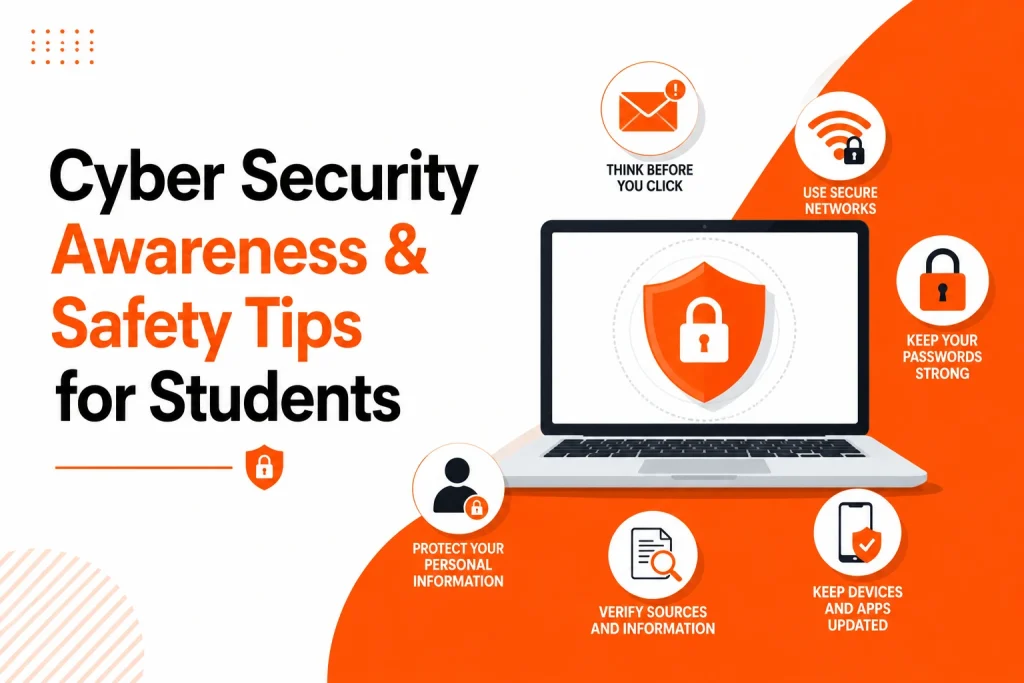
Cyber security is no longer something only IT students, software developers, or security professionals need to understand. In 2026, almost every student depends on the internet every day. You may use online learning platforms, university portals, email, cloud storage, mobile banking, AI tools, shared documents, academic databases, social media, and digital payment systems.
That also means your personal data, academic work, passwords, financial details, and university accounts are constantly exposed to online risks.
Many students do not realise they are attractive targets for cyber criminals. A student account may contain personal details, student finance information, saved passwords, research files, assignment drafts, university emails, and access to paid academic resources. Even one careless click on a fake email or unsafe website can cause serious problems.
Cyber security awareness and tips for students are important because most online threats do not begin with complex hacking. They often start with simple mistakes, such as using the same password everywhere, clicking a suspicious link, downloading unsafe files, or logging in through public Wi-Fi without checking the risks.
This guide explains cyber security awareness for students in a simple, practical way. You will learn about common cyber threats, phishing, password safety, ethical hacking risks, data protection, public Wi-Fi safety, academic integrity, and how to protect your study files. If you are studying cyber security and need academic guidance with essays, reports, or technical topics, platforms like Essay Helper can also support students with writing and subject-related academic challenges.
What Is Cyber Security Awareness for Students?
Cyber security awareness means understanding how online threats work and knowing how to protect yourself, your accounts, your devices, and your data.
For students, this includes knowing how to:
- Protect university login details
- Recognise phishing emails
- Use strong passwords
- Avoid unsafe downloads
- Keep devices secure
- Protect assignments and research files
- Use public Wi-Fi carefully
- Understand legal and ethical limits in cyber security learning
Cyber security awareness does not mean you need to become a technical expert. It means you should understand the basic risks that affect your daily academic life.
For example, if you receive an email that looks like it is from your university asking you to “verify your account urgently,” cyber security awareness helps you stop and check before clicking the link. If you are working on a dissertation and storing files in the cloud, awareness helps you back up your work and avoid losing months of research.
Many students only think about cyber security after something goes wrong. They may lose access to an email account, have a social media profile hacked, lose assignment files, or accidentally share personal information with an unsafe website. The better approach is to learn simple safety habits before problems happen.
Why Cyber Security Matters for Students in 2026
Student life has become highly digital. You may submit assignments online, attend virtual classes, download lecture slides, use academic writing tools, communicate with tutors by email, and collaborate with classmates through shared folders.
This creates convenience, but it also creates risk.
A student might be targeted through fake scholarship emails, fake job offers, fake academic support websites, unsafe file-sharing links, or social media scams. Cyber criminals know students are often busy, under pressure, and likely to act quickly when they see messages about deadlines, grades, fees, or account access.
For example, a phishing email might say your university account will be closed unless you log in immediately. A tired student working late on an assignment might click without checking the sender or URL. That one action could expose their login details.
Cyber security is also connected to academic performance. If your laptop is infected with malware before a submission deadline, or your cloud files are deleted because your account was compromised, your studies can be seriously affected.
Students who struggle with technical topics may also face another problem. Cyber security assignments often include complex concepts such as network security, encryption, malware, ethical hacking, risk management, and data protection. In these cases, getting responsible cyber security assignment help can help students understand the subject better and structure their academic work properly.
Why Students Are Common Targets for Cyber Attacks
Students are often targeted because they use many online platforms but may not always have strong security habits. Cyber criminals look for easy opportunities, and student accounts can be valuable.
One common reason is password reuse. Many students use the same password for university email, social media, shopping websites, streaming services, and academic tools. If one website is breached, attackers may try the same login details on other platforms.
Another reason is public Wi-Fi use. Students often study in libraries, cafes, airports, shared accommodation, and campus spaces. Public networks can be useful, but they can also be risky if students log in to sensitive accounts without protection.
Students are also under pressure. Assignment deadlines, exams, part-time jobs, and personal responsibilities can make it easier to miss warning signs. A fake email about a missed payment or urgent assignment submission may feel believable when you are stressed.
Some students also download free software, cracked tools, PDFs, templates, or unknown files from unsafe websites. These files may contain malware, spyware, or ransomware.
The main student pain points include:
- Worrying about losing assignment files
- Not knowing how to spot fake emails
- Using weak passwords because they are easy to remember
- Feeling confused by cyber security concepts
- Using public Wi-Fi without understanding the risks
- Sharing academic files without checking permissions
- Not knowing which academic support websites are safe
The solution is not to become fearful of the internet. The solution is to build simple cyber safety habits that become part of your daily routine.
Common Cyber Security Threats Students Should Know
Cyber threats can sound complicated, but many of them are easy to understand when explained through student life examples.
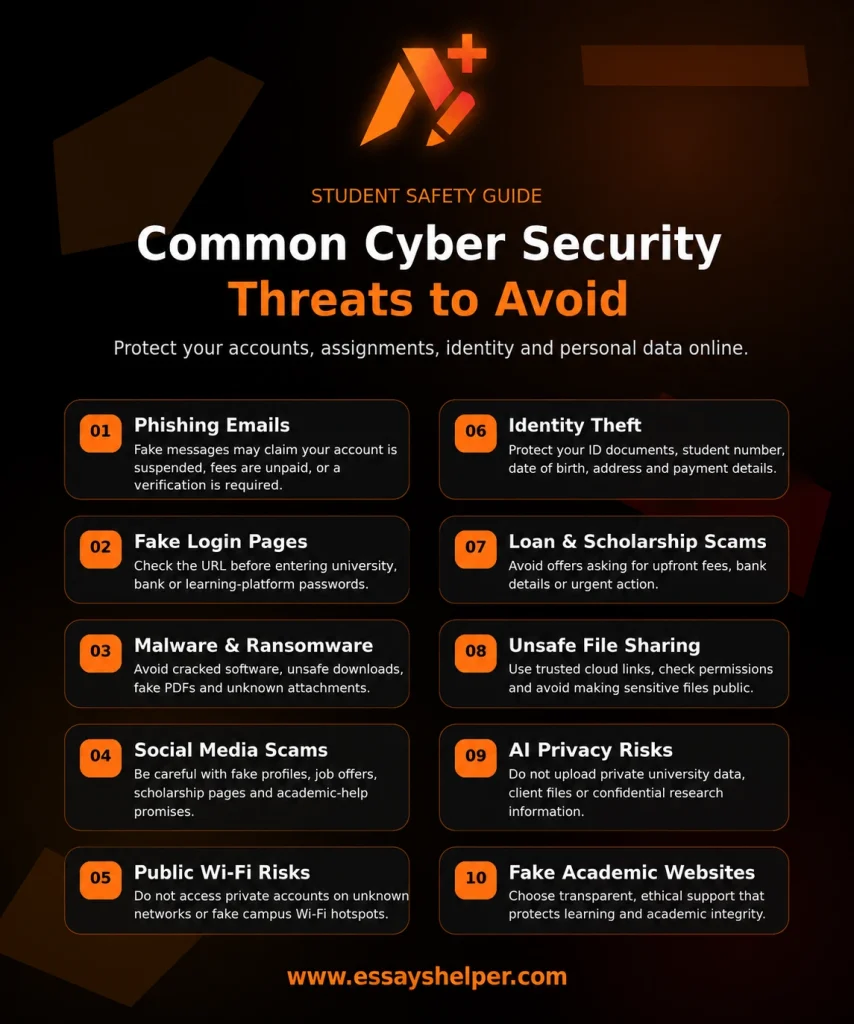
Phishing Emails
Phishing is one of the most common online threats. It happens when someone sends a fake message pretending to be a trusted person or organisation. The goal is usually to steal your password, personal details, or financial information.
A student might receive a fake email that appears to come from a university, bank, online learning platform, or delivery company. The email may ask the student to click a link, download an attachment, or confirm login details.
A phishing email may say:
- Your student account will be suspended
- You have unpaid university fees
- Your assignment submission failed
- You won a scholarship
- Your cloud storage is full
- Your bank card needs verification
The safest habit is to avoid clicking links from unexpected emails. Instead, go directly to the official website by typing the address yourself or using a trusted bookmark.
Fake University Login Pages
Some phishing attacks lead to fake login pages. These pages may look very similar to your university portal, but they are designed to steal your username and password.
Before entering login details, check the website address carefully. Look for spelling mistakes, strange domain names, or extra words in the URL. If the page looks unusual or asks for information your university does not normally request, stop and verify it.
Malware and Ransomware
Malware is harmful software that can damage your device, steal data, or monitor your activity. Ransomware is a type of malware that locks your files and demands payment to unlock them.
Students may accidentally download malware through unsafe websites, cracked software, email attachments, fake PDFs, or suspicious browser extensions.
This can be especially damaging if you have important essays, lab reports, dissertation chapters, or research files saved only on one device. Regular backups can reduce the damage if your laptop or files are affected.
Social Media Scams
Students often use social media for study groups, networking, events, and part-time job opportunities. Scammers may create fake profiles, fake job offers, fake scholarship pages, or fake academic help accounts.
Be careful if someone online asks for personal details, payment, account access, or copies of your ID. A professional service should be transparent, secure, and clear about what it offers.
Public Wi-Fi Attacks
Public Wi-Fi is convenient, but it is not always secure. Attackers may use unsafe networks to intercept data or trick users into connecting to fake Wi-Fi hotspots.
For example, a fake network called “University Free WiFi” might appear in a public area. If students connect and log in to accounts, their information may be at risk.
Avoid accessing banking, student finance, or private academic accounts on public Wi-Fi unless you are using a secure connection and know the network is legitimate.
Identity Theft
Identity theft happens when someone uses your personal information without permission. Students may be asked to upload ID documents for housing, jobs, scholarships, or academic services. If these details are shared with unsafe websites, they can be misused.
Protect your full name, address, phone number, date of birth, student ID, passport details, and financial information. Only share sensitive documents through trusted and secure platforms.
Fake Scholarship and Student Loan Scams
Students in the UK and USA may receive emails or ads about scholarships, grants, loan support, or student discounts. Some are genuine, but others are scams.
Be careful with offers that ask for upfront fees, bank details, or urgent action. A real scholarship or student finance body will usually have clear official information and will not pressure you through suspicious messages.
Unsafe File Sharing
Students often share lecture notes, group project files, spreadsheets, datasets, and presentations. Unsafe sharing can expose private information or allow others to edit or delete important work.
Use trusted cloud platforms, check sharing permissions, and avoid making sensitive files public. For group work, give editing access only to people who need it.
AI Tool Privacy Risks
AI tools are useful for brainstorming, summarising, coding support, and study planning. However, students should be careful about what they upload. Do not upload private university data, confidential research material, personal documents, client information, or sensitive assignment files unless you understand the tool’s privacy policy and your university’s rules.
AI can support learning, but it should be used responsibly and ethically.
Fake Academic Support Websites
Students under pressure may search for urgent help with essays, reports, coding tasks, dissertations, or cyber security assignments. Some websites are unreliable, unclear, or unsafe.
A trustworthy academic support platform should focus on guidance, learning, editing, structure, and responsible academic help. It should not encourage plagiarism, impersonation, or dishonest academic behaviour. Students who need broader assignment support should choose services that are transparent, student-focused, and aligned with academic integrity.
Practical Cyber Security Safety Tips for Students
Cyber security does not have to be complicated. Small habits can protect you from many common risks.
Use Strong and Unique Passwords
A strong password should be difficult for others to guess. Avoid using your name, birthday, student ID, pet name, or simple passwords like “password123.”
Use different passwords for different accounts. Your university email, banking app, cloud storage, and social media should not all use the same password.
Enable Two-Factor Authentication
Two-factor authentication, often called 2FA, adds an extra layer of protection. Even if someone gets your password, they may still need a code from your phone or authentication app to log in.
Enable 2FA on your university email, cloud storage, banking apps, and important academic accounts.
Be Careful with Links
Do not click links just because they look official. Hover over links where possible, check the URL, and avoid logging in through links from unexpected messages.
If an email says there is a problem with your account, go directly to the official website instead of clicking the email link.
Keep Your Devices Updated
Software updates often fix security weaknesses. Delaying updates can leave your device exposed.
Keep your laptop, phone, browser, antivirus software, and apps updated. Turn on automatic updates where possible.
Avoid Unsafe Downloads
Do not download cracked software, unknown browser extensions, pirated textbooks, or suspicious files. These may contain malware.
Use official app stores, university-provided software, and trusted academic databases whenever possible.
Back Up Important Files
Backups are essential for students. Imagine losing your dissertation, final-year project, or exam revision notes one week before submission.
Use cloud storage, an external drive, or both. Keep more than one copy of important academic work.
Protect Personal Information
Do not overshare personal details online. Be careful with your student ID, phone number, address, passport details, financial information, and university login credentials.
Before submitting personal information on any website, ask yourself whether the site is trustworthy and whether the information is truly necessary.
Log Out from Shared Devices
If you use a library computer, shared laptop, or university lab device, always log out when you finish. Do not save passwords on shared devices.
Also clear downloads if you opened private documents.
Use Trusted Academic Platforms
When looking for academic support, choose platforms that clearly explain their services, pricing, privacy approach, and academic standards. Students looking for Essay writing support for international students should focus on services that help with understanding, structure, editing, and responsible academic development.
Password Safety for Students
Password safety is one of the simplest and most important parts of cyber security awareness for students.
Many students use weak passwords because they are easy to remember. The problem is that easy passwords are also easy to guess. Attackers may use automated tools to try common passwords or leaked password combinations.
Weak password examples include:
- Student123
- Password2026
- Johnsmith1999
- University123
- Qwerty123
A stronger password is longer, more unique, and harder to guess. You can use a passphrase made of unrelated words, numbers, and symbols. The goal is to make it memorable for you but difficult for others.
For example, instead of using a short password, use a longer phrase that is not connected to your personal life.
A password manager can also help. It stores your passwords securely, so you do not need to remember every single one. This makes it easier to use different passwords for different accounts.
The biggest mistake is using one password everywhere. If that password is leaked from one website, attackers may try it on your email, university portal, banking app, and social media accounts.
Phishing Awareness: How Students Can Spot Fake Emails
Phishing is dangerous because it often looks normal at first. A fake email may use university logos, formal language, and urgent warnings.
Students should slow down before responding to any message that asks for login details, payment, personal information, or urgent action.
Common warning signs include:
- Urgent or threatening language
- Unknown sender address
- Spelling or grammar mistakes
- Suspicious attachments
- Links that do not match the official website
- Requests for passwords or verification codes
- Offers that seem too good to be true
For example, an email saying “Your university account will be deleted in 2 hours” is designed to create panic. The attacker wants you to act before thinking.
A good habit is to check the sender’s email address carefully. A message may display a university name, but the actual email address may be strange or unrelated.
Also remember that real universities, banks, and official organisations usually do not ask you to send passwords by email.
Safe Use of Public Wi-Fi on Campus, Cafes, and Libraries
Public Wi-Fi is part of student life. You may use it in lecture halls, libraries, cafes, train stations, airports, or shared accommodation. However, not every public network is safe.
Some attackers create fake Wi-Fi hotspots with names that look trustworthy. Others may try to intercept data on unsecured networks.
When using public Wi-Fi, avoid logging in to sensitive accounts such as banking, student finance, or private university systems unless you are sure the network is legitimate. If possible, use your mobile data for sensitive tasks.
Make sure websites use “https” before entering information. Avoid file sharing on public networks, and turn off automatic connection to unknown Wi-Fi networks.
If your university provides an official secure Wi-Fi network, use that instead of random public networks.
Ethical Hacking: What Students Should Understand
Ethical hacking is an important area of cyber security, but it is also an area where students must be careful.
Ethical hacking means testing systems for weaknesses with permission. The key word is permission. Without permission, testing a website, network, app, account, or university system can be illegal and may lead to serious academic or legal consequences.
Students studying cyber security may learn about penetration testing, vulnerability assessment, network security, and digital forensics. These topics are useful, but they must be practised in safe and authorised environments.
You should not:
- Try to access someone else’s account
- Test university systems without permission
- Scan websites you do not own
- Use hacking tools on public networks
- Bypass passwords or security controls
- Share exploit methods for harmful purposes
Instead, use legal learning environments, university labs, approved simulation platforms, and tutor-guided exercises.
Ethical hacking is about improving security, not breaking rules. Students should always follow university policies, legal boundaries, and responsible disclosure principles.
Protecting Academic Work and Research Files
Your academic work is valuable. Essays, reports, dissertation chapters, coding projects, lab results, interview transcripts, reference lists, and research notes can take weeks or months to produce.
Losing these files can be stressful and may affect your grades, deadlines, and confidence.
To protect academic work, save files in more than one place. Use cloud storage with version history, keep a backup on an external drive, and avoid storing everything only on your laptop.
When sharing documents, check permissions carefully. If you only want classmates to view a file, do not give editing access. If your document contains personal data, research participant information, or confidential material, avoid public links.
Students working on dissertations should be even more careful. Dissertation files may include literature reviews, methodology drafts, survey responses, interview data, and supervisor feedback. If you need help organising or improving long academic projects, responsible dissertation help can support structure, clarity, referencing, and research presentation.
Cyber Security and Academic Integrity
Cyber security is not only about protecting devices. It is also connected to academic integrity.
Unsafe online behaviour can lead to serious academic problems. For example, sharing your university login details with someone else may violate university rules. Using fake academic websites can expose you to plagiarism, stolen work, or data misuse. Downloading essays from unreliable sources can damage your academic record.
Academic integrity means doing your work honestly and using support in the right way. It is acceptable to seek guidance, editing, tutoring, feedback, and help understanding difficult topics. It is not acceptable to submit stolen, copied, or misrepresented work.
Students should also be careful with AI tools. AI can help explain concepts or improve study planning, but you must follow your university’s rules. Do not use AI to bypass learning or submit work that violates academic policies.
A safe approach is to use support services for learning, structure, proofreading, referencing, and concept clarification. Students who need wider complete academic support should choose guidance that helps them improve their understanding rather than replacing their own academic responsibility.
How Cyber Security Problems Affect Student Life
Cyber security issues can create more than technical problems. They can affect your studies, finances, privacy, and mental stress.
Imagine these situations:
You cannot access your university email before an exam because your account was compromised.
- Your laptop gets infected with malware one day before an assignment deadline.
- Your dissertation file is deleted because you had no backup.
- You enter login details on a fake university page and lose access to your student portal.
- You pay for a fake academic website and never receive safe or useful support.
- Someone uses your personal details to create accounts or apply for services.
These situations are stressful because they often happen at the worst possible time. Students already deal with deadlines, exams, part-time work, financial pressure, and personal responsibilities. Cyber security problems add another layer of anxiety.
The good news is that many risks can be reduced with simple habits: strong passwords, 2FA, backups, careful clicking, safe downloads, and trusted platforms.
Cyber Security Awareness for Online Learning
Online learning is now normal for many students. You may attend live lectures, watch recordings, submit assignments, join discussion boards, and download materials from learning platforms.
To stay safe, always access learning platforms through official links. Avoid logging in from links sent by unknown people. Do not share your login details with classmates or third parties.
When joining online classes, be careful with meeting links. Do not post private class links publicly. If you are recording sessions, follow university rules and respect other students’ privacy.
Also be careful when downloading lecture materials from unofficial groups. Files shared in random chats may not always be safe.
Internet Safety Tips for Students Using AI Tools
AI tools can support student learning, but they should be used carefully. Students may use AI for brainstorming, summarising notes, creating study plans, explaining cyber security concepts, or improving clarity in writing.
However, you should avoid uploading sensitive information. This includes private data, unpublished research, confidential interview transcripts, personal identification documents, university login details, or files that your university does not allow you to share.
Students should also check AI-generated information. AI tools can make mistakes, especially in technical topics such as encryption, network security, legal compliance, and ethical hacking. Always verify important claims using lecture notes, textbooks, academic sources, or tutor guidance.
When using AI for academic writing, follow your university’s policy. Some universities allow limited use for planning and language support, while others have stricter rules.
How to Choose Safe Academic Support Online
Many students search for academic help when they are stuck, stressed, or close to a deadline. This is normal, especially in technical subjects like cyber security.
However, not every website is safe or ethical.
A reliable academic support service should:
- Clearly explain what support it provides
- Protect student privacy
- Avoid unrealistic promises
- Support learning and academic improvement
- Be transparent about pricing
- Offer help with structure, editing, referencing, and understanding
- Respect academic integrity
Be cautious with websites that guarantee grades, offer to take exams, ask for unnecessary personal data, or pressure you into quick payments.
If pricing matters, students can review affordable pricing for students before choosing support that fits their budget and academic needs.
How Students Can Get Support with Cyber Security Assignments
Cyber security assignments can be difficult because they often combine theory, technical understanding, legal issues, ethical concerns, and real-world examples.
Students may struggle with topics such as:
- Network security
- Phishing prevention
- Encryption
- Data protection
- Digital forensics
- Risk assessment
- Ethical hacking
- Malware analysis
- Cyber law and ethics
- Security awareness campaigns
Some students understand the technical idea but struggle to explain it in academic writing. Others can write well but find the technical concepts confusing. This is where responsible academic guidance can help.
EssaysHelper can support students who need help understanding cyber security topics, planning assignments, improving structure, developing arguments, referencing sources, and presenting technical information clearly. The aim should be learning support and academic improvement, not shortcuts or dishonest work.
Good support helps students answer questions such as:
- What does this assignment brief require?
- How should I structure my cyber security report?
- Which concepts should I explain first?
- How can I make my writing clearer?
- How do I reference cyber security sources correctly?
- How can I connect theory with real student examples?
When used responsibly, academic support can reduce confusion and help students approach complex subjects with more confidence.
Final Cyber Safety Checklist for Students
Use this checklist to protect yourself online:
- Use strong, unique passwords for important accounts.
- Turn on two-factor authentication.
- Do not click suspicious email links.
- Check URLs before entering login details.
- Keep your laptop, phone, browser, and apps updated.
- Avoid downloading cracked software or unknown files.
- Back up assignments, dissertations, and research files.
- Use public Wi-Fi carefully.
- Do not share university login details.
- Be careful with AI tools and sensitive data.
- Use trusted academic and learning platforms.
- Follow legal and ethical rules when studying cyber security.
Cyber security is not about being perfect. It is about being alert, careful, and prepared.
FAQs
1. What is cyber security awareness for students?
Cyber security awareness for students means understanding online risks and knowing how to protect personal data, university accounts, devices, and academic files. It includes safe password use, phishing awareness, secure browsing, and responsible online behaviour.
2. Why are cyber safety tips important for students?
Cyber safety tips help students avoid common risks such as phishing emails, hacked accounts, malware, identity theft, and lost assignment files. Good cyber habits protect both academic work and personal information.
3. What are the most common cyber security threats for students?
Common threats include phishing, fake login pages, malware, ransomware, public Wi-Fi risks, social media scams, identity theft, and unsafe file downloads. Students should also be careful with fake academic websites and suspicious online offers.
4. How can students protect their passwords?
Students should use strong, unique passwords for each important account and enable two-factor authentication. Using a password manager can also help students avoid password reuse and keep accounts safer.
5. Is public Wi-Fi safe for students?
Public Wi-Fi can be risky, especially for banking, student finance, or university logins. Students should use trusted networks, avoid sensitive activity on unknown Wi-Fi, and check that websites are secure before entering information.
6. What should students know about ethical hacking risks?
Ethical hacking is only legal and responsible when done with permission. Students should never test websites, networks, accounts, or university systems without authorisation, and they should only practise in approved learning environments.
7. Can students get help with cyber security assignments?
Yes, students can get academic guidance with cyber security assignments, including help with understanding concepts, planning structure, improving writing, and referencing. The support should be used responsibly and follow academic integrity rules.
Conclusion
Cyber security awareness and tips for students are essential in 2026 because student life is deeply connected to digital platforms. From university portals and cloud storage to online banking, AI tools, emails, and academic resources, students use technology every day.
The biggest risks often come from simple mistakes: weak passwords, suspicious links, unsafe downloads, public Wi-Fi, poor backups, and sharing information too quickly. By building better habits, students can protect their personal data, academic work, devices, and online identity.
Cyber security does not need to feel overwhelming. Start with the basics: use strong passwords, enable two-factor authentication, check links carefully, back up important files, avoid unsafe websites, and follow ethical rules when learning technical topics.
For students studying cyber security, the subject can be challenging but also highly valuable. With the right awareness, safe online behaviour, and responsible academic support when needed, students can protect themselves while building stronger digital confidence.